

Portabase DashboardAdvanced ConfigurationNotification
Gotify
Push notifications via your own Gotify server.
Gotify is a simple server for sending and receiving messages in real-time (WebSocket).
Configuration on your Gotify instance
- Log in to your Gotify instance.
- Create a new Application (e.g., "Portabase").
- Copy the Token generated for this application.
Configuration on the dashboard
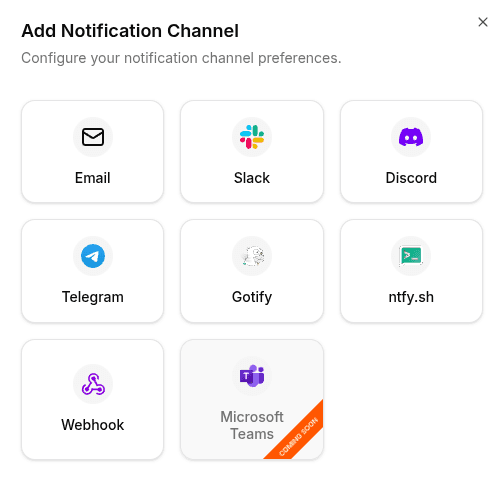
Go to Notifications > Channels, click on + Add Notification Channel, and choose Gotify.
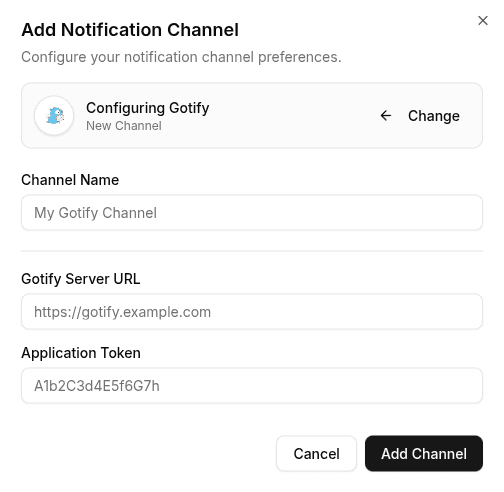
Enter the following information:
- Server URL: The full URL of your Gotify instance (e.g.,
https://gotify.yourdomain.com). - App Token: The application token you just created.
To test the configuration, click the channel's edit icon, then click Test Channel. The message should appear instantly in your Gotify interface or on your mobile.