

Portabase DashboardAdvanced ConfigurationNotification
Ntfy
Push notifications via the Ntfy protocol (public server or self-hosted).
Ntfy is a simple HTTP notification service. You can use the official public server or your own self-hosted instance.
Configuration on the dashboard
Go to Notifications > Channels, click on + Add Notification Channel, and choose ntfy.sh.
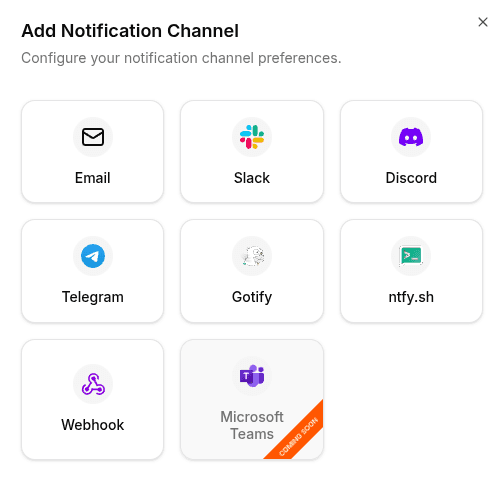
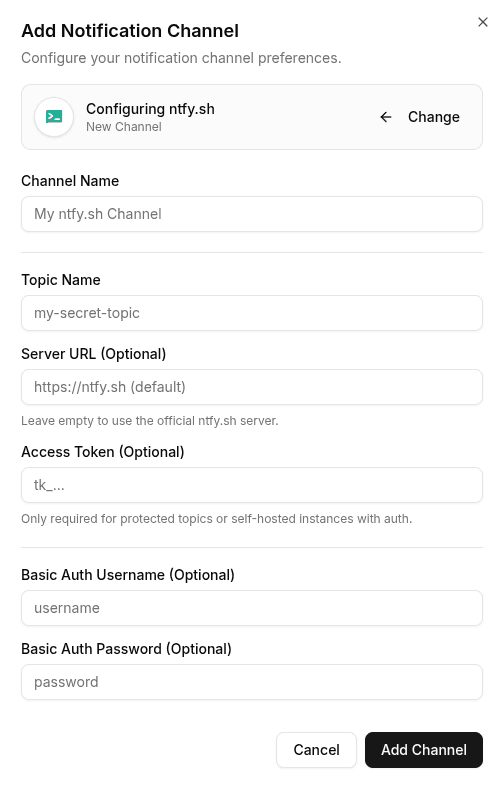
Enter the following information:
- Server URL: Your server address. Default:
https://ntfy.sh. - Topic: The name of the topic to subscribe to (e.g.,
my-project-alerts). - Token (Optional): If your topic or server is protected by authentication.
If you use the public server ntfy.sh, be aware that topics are public if not protected. Choose a complex name or configure access rights.
To test the configuration, click the channel's edit icon, then click Test Channel. The message should appear instantly in your Ntfy interface or on your mobile.