

Portabase DashboardAdvanced ConfigurationNotification
Telegram
Receive alerts via a Telegram bot.
To receive notifications on Telegram, you need to create a bot and obtain its access token as well as the recipient chat ID.
Configuration of Telegram Bot
Contact @BotFather on Telegram to create a new bot and get your Token (e.g.,
123456:ABC-DEF1234...).
Start a conversation with your bot (click "Start").
Retrieve your Chat ID (you can use a bot like @userinfobot to find it).
Configuration on the dashboard
Go to Notifications > Channels, click on + Add Notification Channel, and choose Telegram.
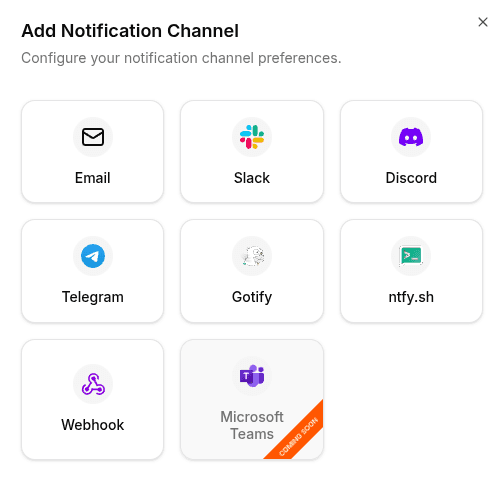
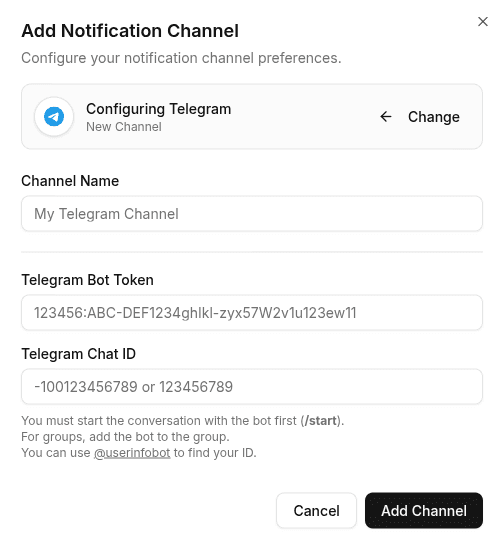
Enter the following information:
- Bot Token: The token provided by BotFather.
- Chat ID: The numeric identifier of the conversation or group.
To test the configuration, click the channel's edit icon, then click Test Channel. Your bot should send you a test message immediately.