

Portabase DashboardAdvanced ConfigurationNotification
Webhook
Send HTTP alerts to your systems or third-party services.
Webhook notifications allow you to send HTTP (POST) requests to a URL of your choice when an event occurs. This is the ideal solution for connecting Portabase to automation tools or custom scripts.
Configuration on the dashboard
Go to Notifications > Channels, click on + Add Notification Channel, and choose Webhook.
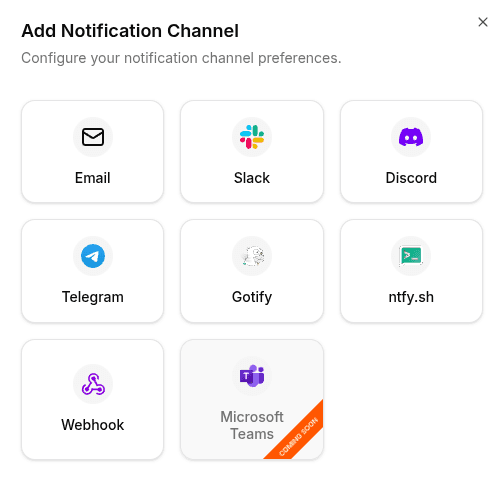
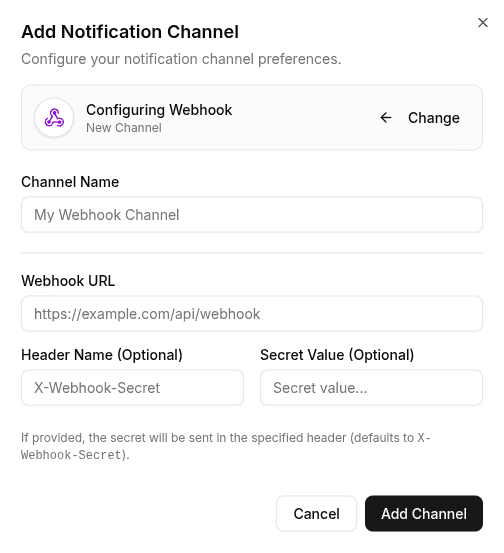
Enter the following information:
- Webhook URL: The URL that will receive the POST request.
- Header (optional): HTTP headers to secure or identify your requests (for example,
Authorizationto provide an authentication token). By default, Portabase sendsX-Webhook-Secret.
To test the configuration, click the channel's edit icon, then click Test Channel. Verify that your endpoint responds correctly.